


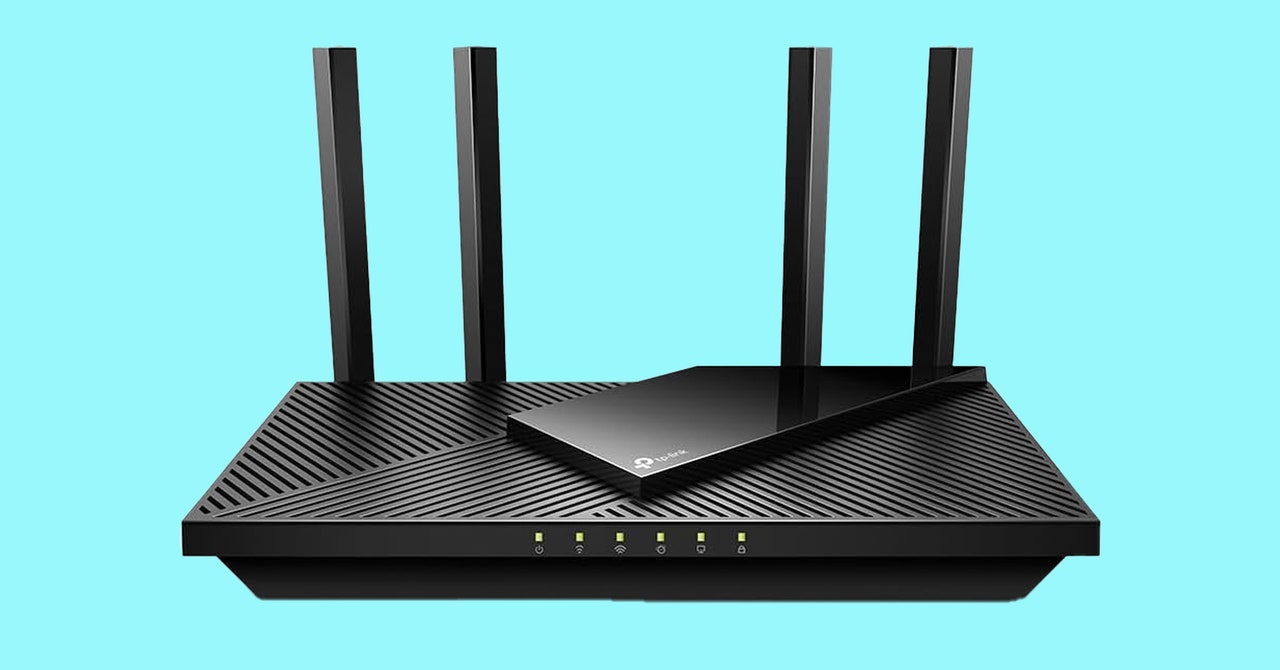
Decoding the Router Selection Process for 2024
Choosing the right router can be a daunting task, filled with numerous technical terms and options. Yet, it's essential for optimizing your internet experience. This guide will illuminate the key considerations, from speed requirements to understanding MU-MIMO and other technical specifications, ensuring you're equipped to make an informed purchase.
Understanding Your Internet Connection Setup
Your Internet Service Provider (ISP) is responsible for connecting your residence to the internet, typically providing a modem and, often, a basic router. While convenient, these routers often lack advanced performance features. Thankfully, regulations prevent ISPs from mandating their equipment with additional fees, allowing for personal router enhancements.
Utilizing your own router can provide financial savings over time, enhance Wi-Fi speed and extend its coverage, offer simplified configuration, and enable features such as guest networks and parental controls. Ensure compatibility with your ISP before purchasing a third-party router, potentially checking ISP-specific forums for insights on suitable models.
Identifying the Appropriate Router Type
To determine the right router, first assess the square footage of your living space. A standard router setup accommodates most households, connecting via Ethernet to a modem or wall socket, though placement may be restricted. Position the router centrally and unobstructedly for optimum signal distribution.
If your home spans large areas or contains Wi-Fi dead zones, a mesh Wi-Fi setup might be ideal. This involves a primary hub and additional nodes, creating a network where devices connect to the closest node for more comprehensive coverage. While mesh systems are typically pricier, they offer consistent connectivity and versatile placement.
Exploring Alternatives to New Routers
For specific areas needing enhanced Wi-Fi or single devices demanding faster speeds, accessories like Ethernet cables, powerline adapters, or existing coaxial cable systems could suffice. These solutions can deliver improved performance economically, although they may not replace the full capabilities of a robust mesh network.
Ethernet offers the fastest, most secure connection by physically linking devices to the router. Powerline adapters send internet signals via electrical wiring, compatible with a router placed in a different house section. With existing coaxial cabling, you might connect devices sustainably, bypassing the need for Wi-Fi in certain areas.
Wi-Fi repeaters extend the signal reach by repeating it to cover more ground, though this can lead to separate networks and possible performance inefficiencies. With a spare router, you might configure it as a repeater for extended coverage.
Determining Necessary Internet Speed
Internet speed, indicated by your ISP and measured in megabits per second (Mbps), dictates the maximum downloadable and uploadable data rate. Assess your household's habits, from streaming to gaming, to gauge required speeds. Tools like speed tests can verify current ISP-delivered performance against your needs.
Understanding realistic speed applications can lead to better purchasing decisions. Typical activities such as 4K streaming can dictate a need for higher Mbps, especially in multi-user or multi-device environments. Ensure your router's capabilities align with these requirements to avoid bottlenecks in connectivity.
Deciphering Wi-Fi Standards
Wireless Networking, or Wi-Fi, uses protocols established by the IEEE. Current standards advance from Wi-Fi 4 to Wi-Fi 7, each offering enhancements in speed, range, and security. For future-proofing, select at least Wi-Fi 6, or aim for Wi-Fi 6E or Wi-Fi 7 if budget allows for longer-term functionality.
Ensure compatibility across your devices to leverage full benefits of the latest standards. Wi-Fi 6E and beyond provide improved performance metrics, though upgrading consumer hardware to these protocols is crucial.
Frequency Bands and Their Implications
Wi-Fi operates on specific frequency bands: 2.4 GHz offering extended range while 5 GHz and the newer 6 GHz bands promise greater speed. Tri-band routers can handle multiple frequencies, enhancing bandwidth and data handling capacity, crucial for complex or busy networks.
Newer mesh solutions incorporate band management technologies, automatically selecting optimal bands per device. This can simplify user engagement but could necessitate solutions for devices only operating on specific frequencies.
Evaluating Port Availability
Wired connections via Ethernet are preferable for devices demanding high stability, like gaming consoles or PCs. It's key to ensure your router supports the necessary number of ports, providing for both existing and future-wired needs effectively.
Additional features, like USB connectivity for network storage solutions, can expand a router's utility, so verify presence and versions available, prioritizing faster standards such as USB 3.0 for enhanced performance.
Prioritizing Security Measures
Given its central role in home connectivity, securing your router with WPA2 or the more advanced WPA3 encryption is crucial. Regular software updates and disabling unnecessary features like UPnP can safeguard against potential threats.
Guest networks offer segmented access for visitors, preserving security for your primary network. Review your router’s security options to ensure they meet your privacy and safety standards.
Harnessing Device Management via Apps
Modern routers frequently provide control apps with capabilities beyond traditional browser interfaces. These apps catered to ease device management, monitoring, and configuration, integrated with features such as parental controls and real-time monitoring of connected devices.
Be aware of subscription requirements for certain features, and review customer feedback on app functionality to align your choices with user experiences.
Optimizing for Quality of Service
QoS settings allow prioritization of critical devices or activities, ensuring smooth internet usage for essential tasks. Implementing QoS can prevent disruptions, especially in environments with heavy network traffic from multiple simultaneous users.
Glossary of Essential Terms
Familiarize yourself with terms like SSID (Service Set Identifier), which identifies your network, MU-MIMO enabling multiple device bandwidth management, and OFDMA for efficient data delivery, to enhance understanding during router selection.
Knowing these terms can demystify the router selection process, ensuring you choose equipment that addresses your specific connectivity challenges effectively.
Key Final Insights
High-speed routers improve internal network connectivity, and exploring compatibility with your ISP is vital prior to purchase. Consider mesh systems or advanced Wi-Fi and security standards for lasting advantages.
Leave a Reply